Shipyard migrated 15+ IPFS Project websites to modular infrastructure where each component is independently swappable. This post explains the approach and how to set it up for your project.
What Changed
Sites including ipfs.tech
, docs.ipfs.tech
, blog.ipfs.tech
, and specs.ipfs.tech
now use:
- GitHub Pages
for Web2 HTTPS hosting (we already use GitHub for code, so no new third-party dependencies)
- Kubo
for CID and CAR creation (we control content-addressing
, making content portable across any provider)
- IPFS Cluster
for long-term pinning and serving content to IPFS network (self-hosted by Shipyard; pinning services
work equally well)
- DNSLink
for mapping CIDs to human-readable URLs (decouples naming from content location; automated via dnslink-action
)
All sites now have redundant hosting: traditional HTTP via GitHub Pages and content-addressed access via IPFS Desktop
with IPFS Companion
and third-party public IPFS gateways
.
Third-Party Services Come and Go
Fleek Hosting was a turn-key solution that combined HTTP CDN with TLS, IPFS pinning, IPFS gateway, DNSLink, IPNS, ENS, and GitHub Actions CI integration in one platform. Fleek is pivoting to AI
and discontinuing its hosting services on January 31, 2026
.
Fleek’s shutdown is not an isolated event. nft.storage transitioned operations
. Infura deprecated its IPFS public API and gateway
. Scaleway shut down IPFS pinning
. Cloudflare sunset its public IPFS gateways
(Shipyard took over). This is not a criticism of any particular service. Commercial offerings come and go based on business realities. The lesson: if you rely solely on a third-party service, you inherit their business risk.
Modularity as the Future-Proof Approach
IPFS is built for robustness
: strict about verification outcomes, tolerant about methods. A hosting strategy should follow the same principle.
Decouple Web2 hosting from IPFS content-addressing. Keep each component independent:
- HTTP: GitHub Pages, Cloudflare Pages, or a self-hosted server
- IPFS: pinning/storage service, self-hosted Kubo/IPFS Cluster, or both
- DNS: Cloudflare, Gandi, DNSimple, Route53, or any provider with a management API
DNS serves both layers: HTTP needs A/AAAA records and TLS certificates, IPFS needs TXT records for DNSLink to map domains to CIDs.
The key: control CID and CAR creation. Creating the CAR locally means no lock-in to any provider. Pick content providers that accept the CAR. If one shuts down, upload the same CAR elsewhere. HTTP hosting and DNS stay untouched.
Compare this to an all-in-one platform. When it shuts down, everything needs rebuilding.
Two standards make this work: CAR files
for portable content and DNSLink
for human-readable addressing. Switching providers requires no pipeline changes.
Our Setup
We use our own IPFS Cluster
instance since Shipyard already runs IPFS infrastructure. For most projects, a third-party pinning service
works just as well with less operational overhead.
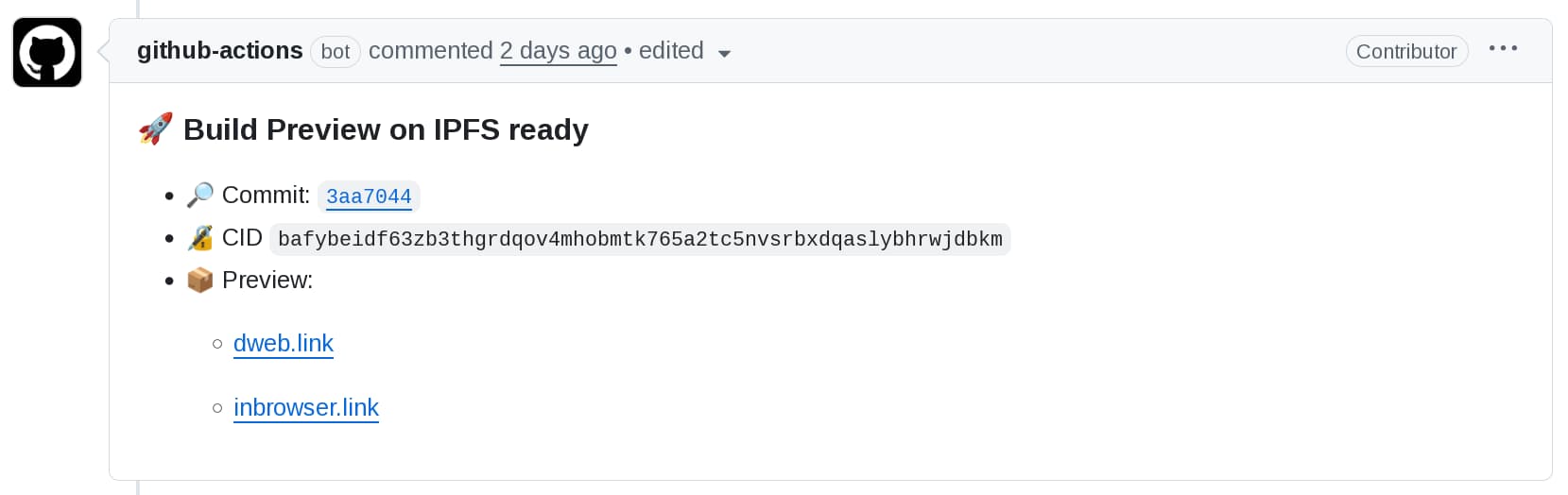
Our CI/CD uses two GitHub Actions:
For security, we use a sandboxed DNS zone pattern: CI credentials can only modify DNSLink TXT records, not other DNS entries. If credentials leak, the blast radius is limited to the _dnslink subdomain. See the dnslink-action security documentation
for details.
Getting Started
Already have HTTP hosting? Just add IPFS and DNSLink. Migrating from Fleek? Pick all three.
- HTTP: GitHub Pages
and Cloudflare Pages
are simple and maintenance free. For all-in-one self-hosted HTTP+IPFS, see Setup a DNSLink Gateway with Kubo and Caddy
- IPFS: Choose a pinning service
or run your own node. Follow Deploy static apps to IPFS with GitHub Actions
- DNS: See Automate DNSLink updates with GitHub Actions
for TXT record automation, or use OctoDNS
for more providers
The ipfs-deploy-action
creates the CID and exports the site as a CAR file. This makes content portable across any provider that accepts CARs. The dnslink-action
links CID to DNS, allowing IPFS-enabled browsers
to load content over IPFS.
Conclusion
Third-party services will continue to come and go. The takeaway: separate your concerns and use standards-based tooling. Keep HTTP hosting independent from IPFS content-addressing, create CARs in your own CI rather than someone else’s cloud service so you can switch providers, and automate DNSLink updates so they’re not tied to any particular service. When one component needs replacing, swap it out without rebuilding everything. This modularity is the robustness that IPFS enables.
All the tools we used are open source and documented. If you have questions, open an issue in the respective repositories or reach out in the IPFS community forums
.